
DreamDiner's KDS
The digital command center of your kitchen.
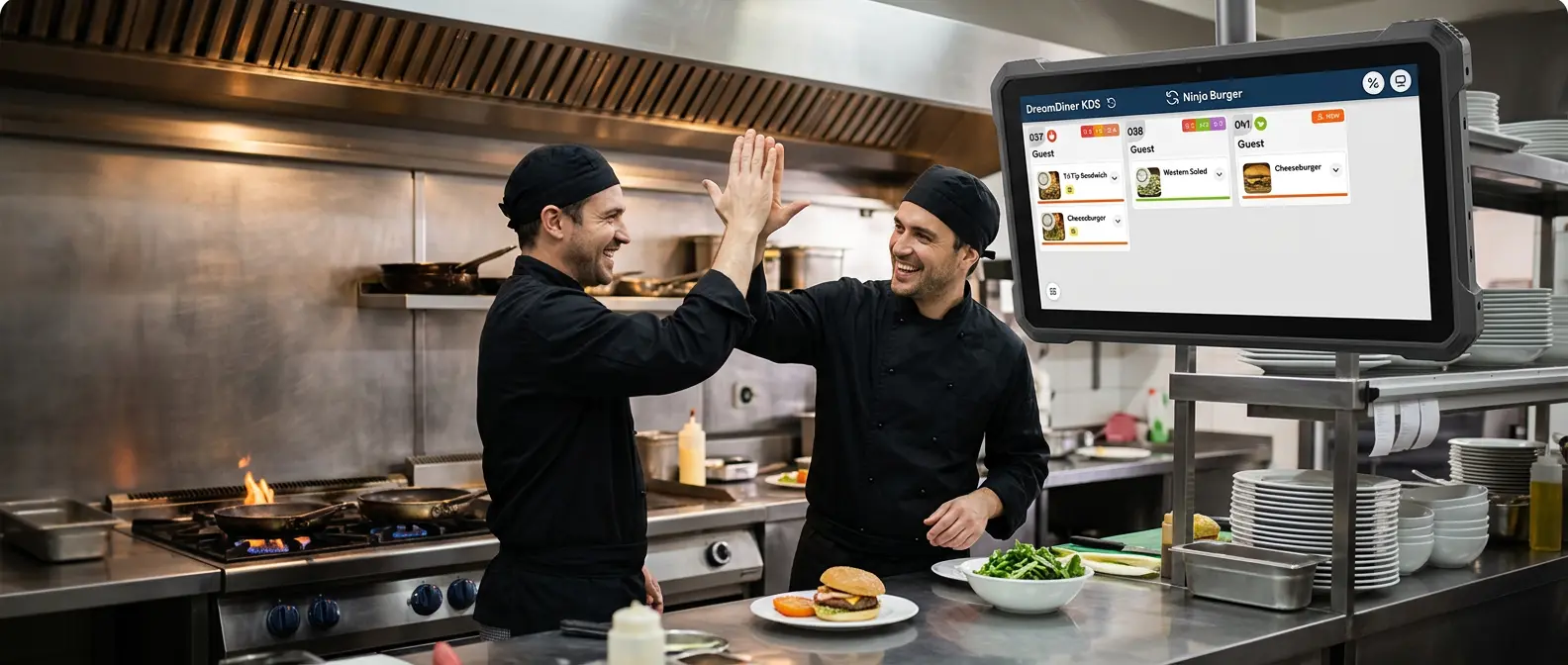
A Kitchen Display System (KDS) replaces handwritten notes and printed kitchen tickets with a live digital workflow.
Instead of orders being written down, called out, or printed and carried between stations, every order is sent directly to a screen in the kitchen — where the team instantly sees what to prepare, where it belongs, and its status.
With DreamDiner KDS it starts even earlier: the moment a customer orders through DreamDiner, it flows straight into your operation and appears on the right kitchen display.
No rewriting orders. No carrying tickets around. No shouting across the kitchen.
How does DreamDiner KDS work?
Imagine a customer sitting at Table 12. They scan your QR code, browse your digital menu, choose their food, add options or special requests, and submit.
Within seconds the order appears on your DreamDiner Staff system — connecting the ordering process directly with the people preparing the food. The kitchen gets a clear digital ticket with everything it needs.
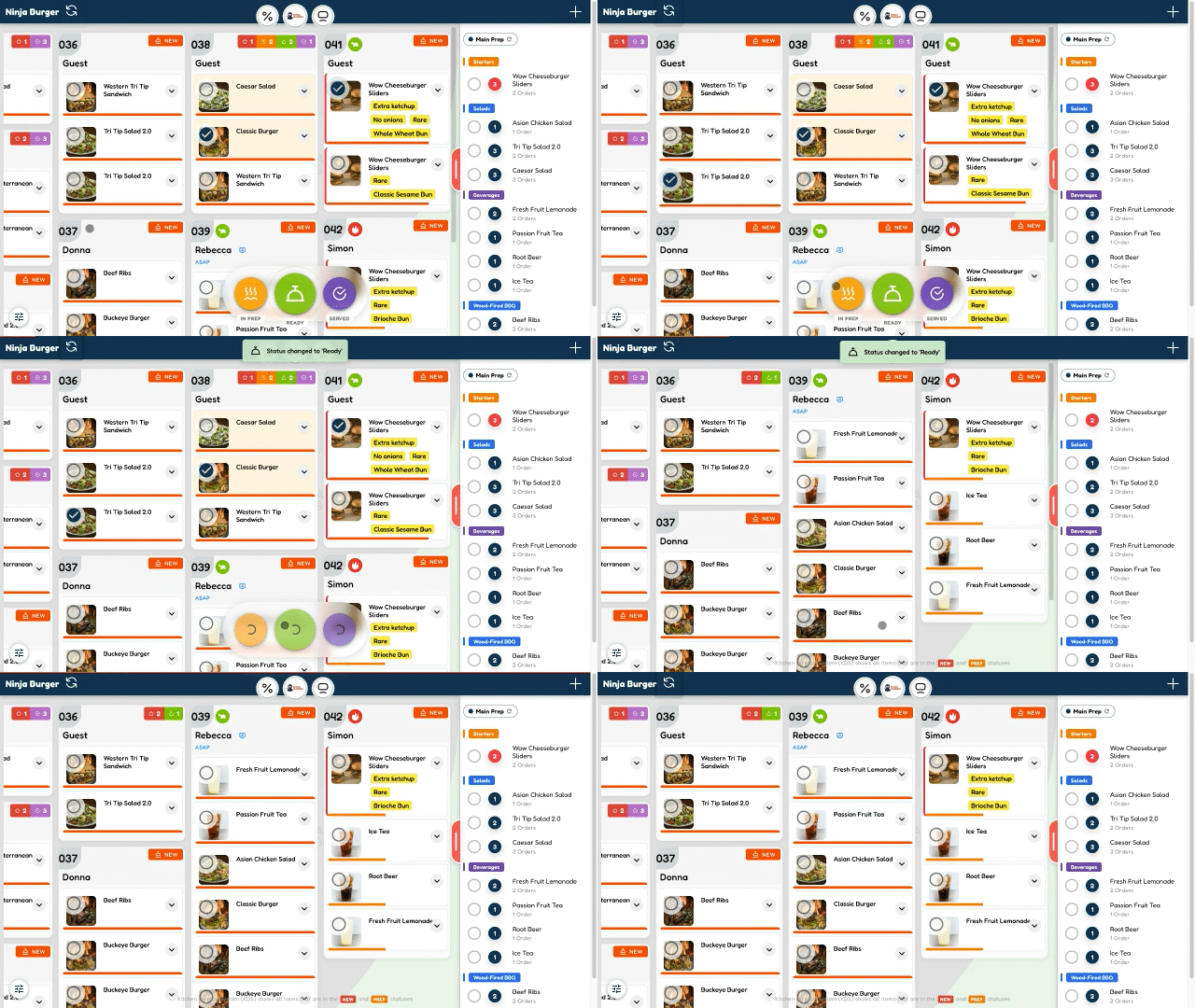
As the kitchen works, each order moves through clear stages:
A live workflow — not a pile of paper tickets.
One kitchen. Multiple stations.
A busy kitchen isn't one workstation — and not everyone needs to see everything.
One of the most powerful ideas behind a KDS is order routing — sending the right information to the right preparation station.
Each station focuses on the items relevant to it — while the restaurant still manages everything as one customer order.
See every order clearly
During a busy service, organization matters. A KDS gives the kitchen a visual queue of incoming orders instead of a stack of printed tickets — with timers and status colors that flag anything waiting too long.
Everyone can answer the questions that matter:
- check_circle What came in?
- check_circle What do I need to prepare?
- check_circle What should I prepare next?
- check_circle What is already being prepared?
- check_circle What is ready?
Fewer mistakes. Better accuracy.
Paper tickets add unnecessary chances for error — handwriting misread, tickets misplaced, changes overlooked, instructions misheard, data entered twice.
A digital KDS removes those handoffs: the order enters digitally and is delivered digitally to whoever prepares it.
The information is right there on the screen.
Faster front-to-back communication
- Take the order
- Enter the order
- Send the ticket
- Check the kitchen
- Ask whether it's ready
- Return to collect it
Orders reach the kitchen immediately, and their status updates digitally as the kitchen works. The system becomes the communication layer — your staff spend more time serving customers and less time carrying information around.
Dine-in, takeaway & delivery — together
Modern restaurants rarely receive orders from only one place.
Your kitchen shouldn't switch between systems just to know what to prepare next.
No more piles of paper
Kitchen printers generate enormous numbers of tickets — and during a rush they pile up, fall on the floor, get wet, or simply disappear.
A KDS replaces that with digital tickets on a screen. When an order is done, it's completed with a tap. Your screen stays organized and your kitchen keeps moving.
Use the hardware that fits your restaurant
DreamDiner doesn't force every restaurant to work the same way.
Digital KDS screens, dedicated restaurant hardware, cloud printers — or a mix of all three. You decide what works best.
And yes — combine KDS with printers
Going digital doesn't mean giving up printing entirely.
- check KDS at the main kitchen — manage the whole order
- check A second KDS at the grill — grill items only
- check A cloud printer at the bar — auto-print drinks
DreamDiner lets technology adapt to the restaurant — not the restaurant to the technology.
Why restaurants move to KDS
A KDS isn't really about swapping a printer for a screen — it's about a better flow of information.
For the customer it means something simple: the right food, prepared correctly, and served faster.
What makes our KDS special?
Beyond the basics — tools built from real kitchen experience that you won't find in an ordinary display system.
- check_circle Receive orders digitally
- check_circle Route them to the right station
- check_circle Keep your kitchen organized
- check_circle Track preparation in real time
- check_circle Reduce paper and manual work
Whether you run a restaurant, café, bar, takeaway, food truck or multi-station kitchen, DreamDiner moves an order from placed to prepared to ready.
Less paper. Less confusion. Fewer unnecessary steps. One connected kitchen — powered by DreamDiner.